MetaDrive
MetaDrive is an autonomous driving simulator that supports generating infinite scenes with various road maps and traffic settings for research of generalizable RL.
Official documentation: https://metadriverse.github.io/metadrive/
GitHub repository: https://github.com/metadriverse/metadrive
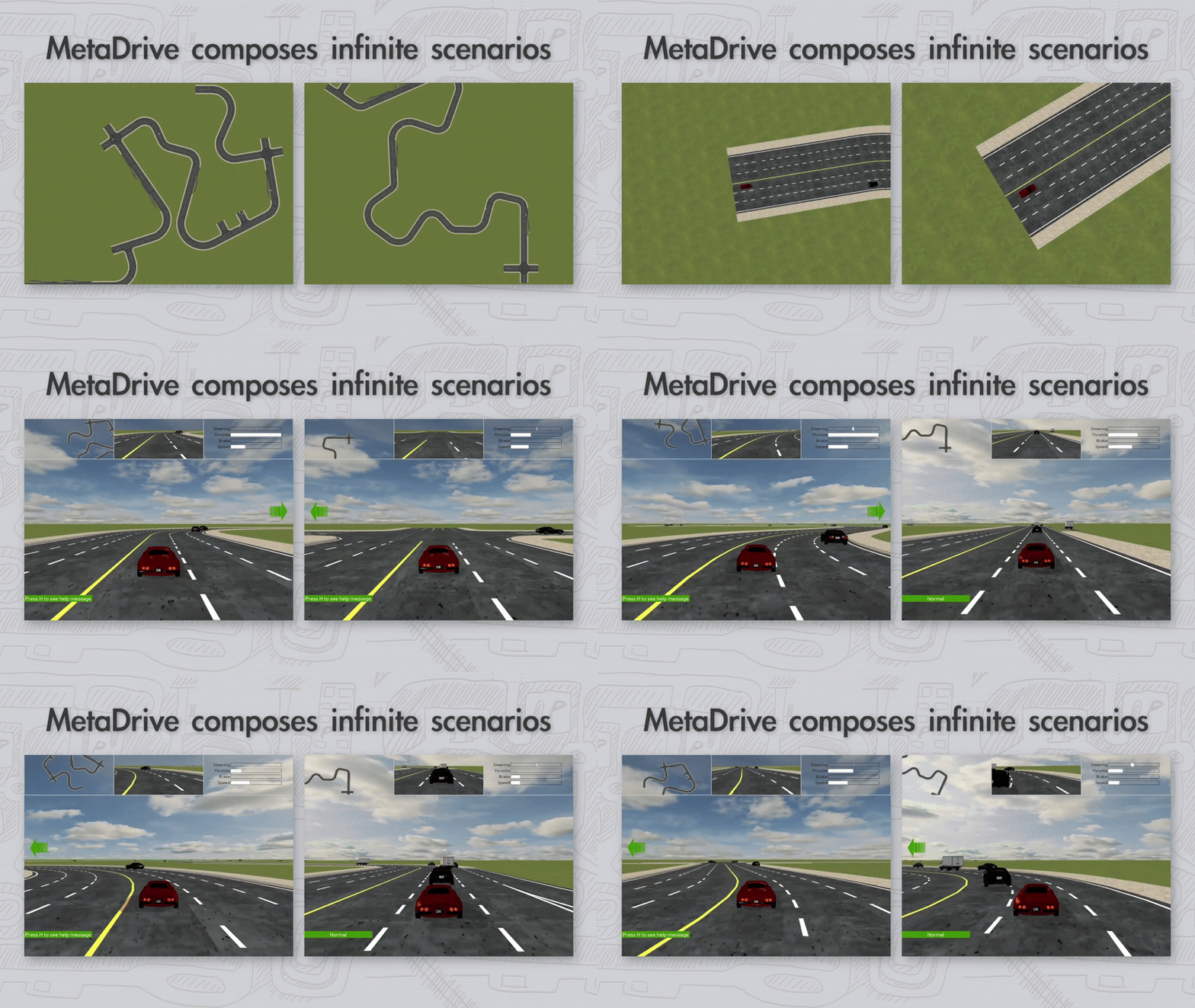
Installation
Open the terminal and create your conda environment. Then, you can choose one of the listed methods to finish the installation of MetaDrive.
Method 1: From PyPI.
pip install metadrive
Method 2: From GitHub.
git clone https://github.com/metadriverse/metadrive.git
cd metadrive
pip install -e .
Try An Example With XuanCe
注意
Please note that each process should only have one single MetaDrive instance due to the limit of the underlying simulation engine. Thus the parallelization of training environment should be in process-level instead of thread-level.
Create a python file named, e.g., “demo_metadrive.py”
import argparse
from xuance import get_runner

def parse_args():
    parser = argparse.ArgumentParser("Run a demo.")
    parser.add_argument("--algo", type=str, default="ppo")
    parser.add_argument("--env", type=str, default="metadrive")
    parser.add_argument("--env-id", type=str, default="your_map")
    parser.add_argument("--test", type=int, default=0)
    parser.add_argument("--device", type=str, default="cuda:0")
    parser.add_argument("--parallels", type=int, default=10)
    parser.add_argument("--benchmark", type=int, default=1)
    parser.add_argument("--test-episode", type=int, default=5)

    return parser.parse_args()


if __name__ == '__main__':
    parser = parse_args()
    runner = get_runner(method=parser.algo,
                        env=parser.env,
                        env_id=parser.env_id,
                        parser_args=parser,
                        is_test=parser.test)
    if parser.benchmark:
        runner.benchmark()
    else:
        runner.run()
Open the terminal the type the python command:
python demo_metadrive.py
Then, let your GPU and CPU work and wait for the training process to finish.
Finally, you can test the trained model and view the effectiveness.
python demo_metadrive.py --benchmark 0 --test 1
小技巧
When you successfully trained a model and visualize the MetaDrive simulator, you might find that the fps is too low to watch the effectiveness.
Solution: You can hold on the F key to accelerate the simulation.
Citations
@article{li2022metadrive,
  title={Metadrive: Composing diverse driving scenarios for generalizable reinforcement learning},
  author={Li, Quanyi and Peng, Zhenghao and Feng, Lan and Zhang, Qihang and Xue, Zhenghai and Zhou, Bolei},
  journal={IEEE Transactions on Pattern Analysis and Machine Intelligence},
  year={2022}
}
APIs
- class xuance.environment.single_agent_env.metadrive.MetaDrive_Env(*args, **kwargs)[源代码]
-
The raw environment of MetaDrive in XuanCe. :param configs: the configurations of the environment.
- render(*args, **kwargs)[源代码]
Renders the environment.
- 返回:
The images used to visualize the environment.
- 返回类型:
rgb_images (np.ndarray or list)
- reset(**kwargs)[源代码]
Resets the environment with kwargs.
- 返回:
The initial observations of the agent. info (dict): The information about the environment.
- 返回类型:
observation (np.ndarray or list)
- step(action)[源代码]
Steps through the environment with action.
- 参数:
action (np.ndarray or list) – The action to be executed.
- 返回:
The next step observation after executing action. reward (np.ndarray or list): The reward returned by the environment. terminated(np.ndarray or list): A bool value that indicates if the environment should be terminated. truncated(np.ndarray or list): A bool value that indicates if the environment should be truncated. info (dict): The information about the environment.
- 返回类型:
observation (np.ndarray or list)